เปิดให้ดาวน์โหลดแล้ว · AndroidAvailable now · Android
จอดำสนิท แต่เสียงยังเล่นต่อScreen goes black. Your audio keeps playing.
BlackOut คือปุ่มลอยที่อยู่เหนือทุกแอป แตะครั้งเดียวหน้าจอดำสนิท แต่แอปที่เปิดอยู่ยังทำงานต่อ ฟัง YouTube พอดแคสต์ หรือเพลงได้โดยไม่ต้องเปิดจอ ช่วยประหยัดแบต โดยเฉพาะจอ OLED ที่พิกเซลสีดำดับจริง ส่วนจอ LCD ก็ลดแสงจอลงต่ำสุดให้ และใช้พรางจอเวลามีคนชะโงกมองก็ได้BlackOut is a floating button that sits above every app. Tap once and the screen goes fully black while your app keeps running, so YouTube, podcasts, and music play on with no screen. It saves battery too: on OLED the black pixels switch off, and on LCD the backlight drops to its lowest level.
ไม่ต้องสมัครสมาชิก · ไม่อ่านเนื้อหาบนจอ · ไม่ส่งข้อมูลส่วนตัวNo account · Never reads your screen · No personal data sent
ดูการใช้งานจริงSee it in action
คลิปสั้นจากเครื่องจริง จอดำสนิทแต่เสียงยังเล่นต่อShort clips from a real phone: screen goes black and audio keeps playing.
ทำอะไรได้บ้างWhat it does
จอดับ เสียงยังเล่นScreen off, sound on
แตะปุ่มลอยแล้วจอดำทั้งจอ แต่ YouTube เพลง หรือพอดแคสต์ยังเล่นต่อ ไม่ต้องล็อกจอหรือสลับแอป ประหยัดแบตได้ดีที่สุดบนจอ OLEDTap the floating button to black out the whole screen while YouTube, music, or podcasts keep playing. Saves the most battery on OLED.
ควบคุมในแตะเดียวControl in one tap
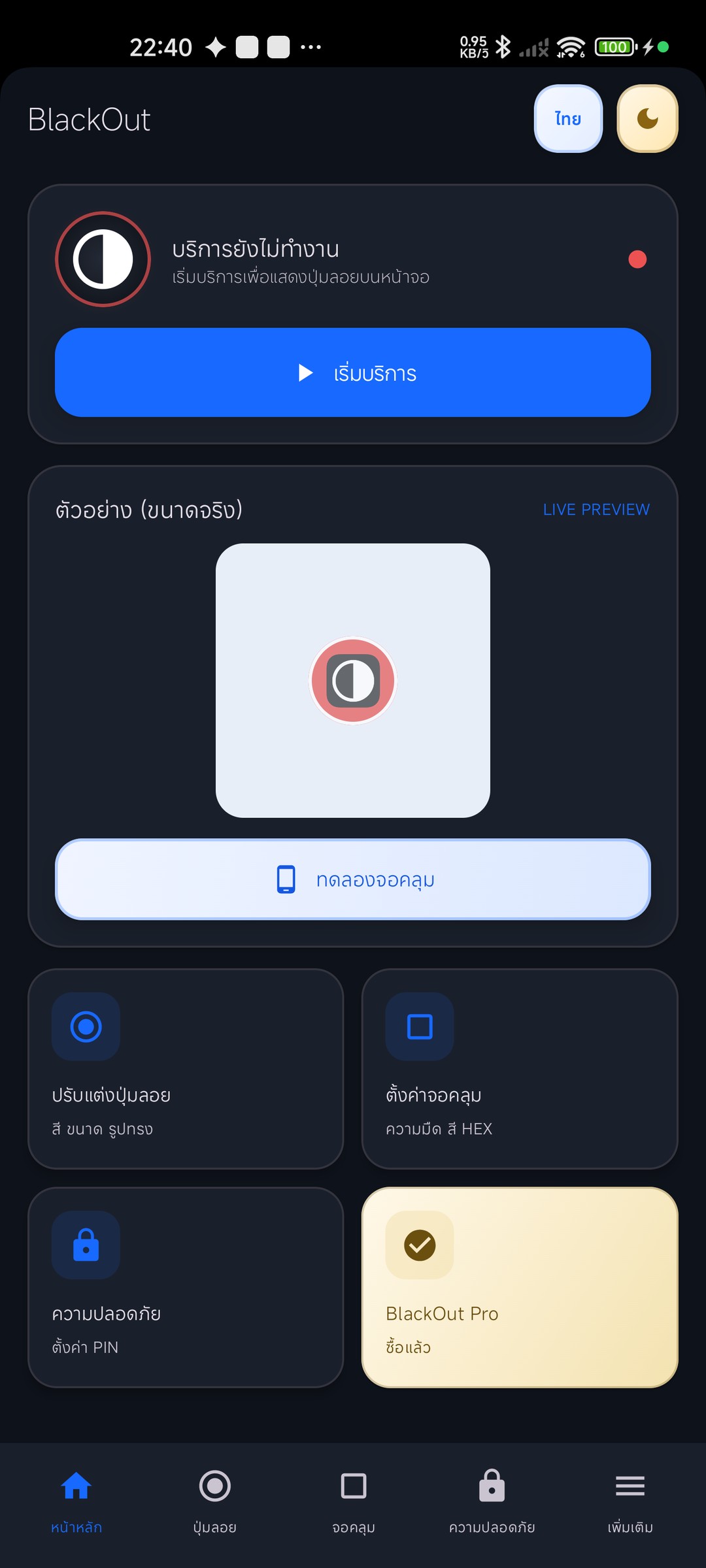
หน้าควบคุมโฟกัสเริ่ม/หยุดบริการ พร้อมตัวอย่างปุ่มสด และทดลองจอคลุมได้ทันทีThe Control tab focuses on start/stop, with a live button preview and a quick way to try the cover.
แต่งหน้าตาในที่เดียวLook in one place
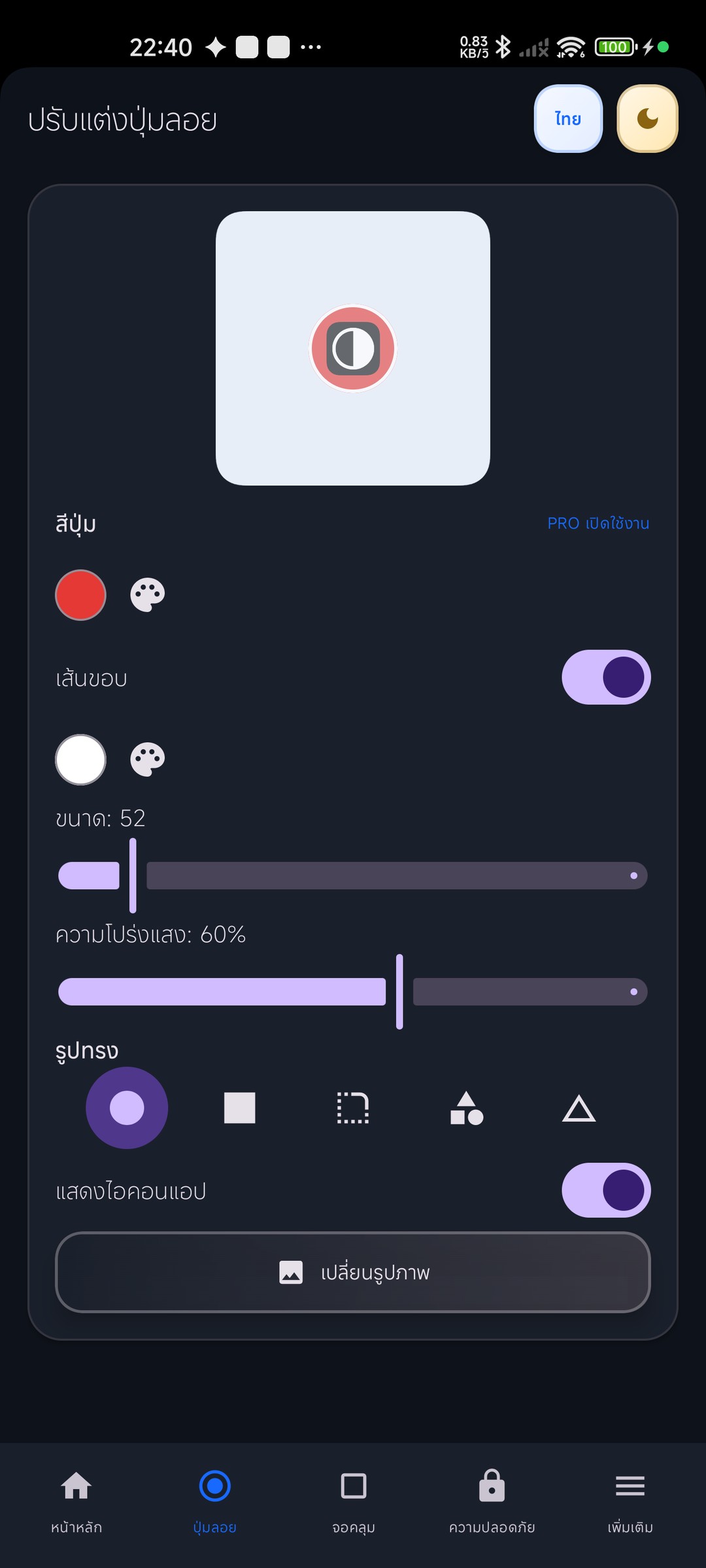
ปุ่มลอยกับจอคลุมอยู่แท็บเดียวกัน — สี ขนาด รูปทรง ความมืด สื่อ และ PINFloating button and cover share one tab — colour, size, shape, darkness, media, and PIN.
ถามรหัสก่อนเปิดจอPIN before uncover
Pro: ตั้งรหัส 4 หลัก คนอื่นแตะเปิดจอเองไม่ได้ ต้องรู้รหัสเท่านั้นPro: set a 4-digit PIN so nobody else can tap the screen back on.
ภาพหน้าจอจริงScreenshots
ฟรีก็ใช้ได้ Pro ไปได้ไกลกว่าFree works. Pro goes further.
ดาวน์โหลดฟรี ลอง Pro ครบทุกฟีเจอร์ได้ 7 วันโดยไม่ต้องผูกบัตรDownload for free and try every Pro feature for 7 days, no card required.
ฟรีFree
฿0 / ตลอดไปforever
คลุมดำทั้งจอด้วยปุ่มลอยFull-screen black cover from floating button
ปุ่มวงกลม สีแดง / ดำRound button in red or black
ปรับขนาด 60–120 และความโปร่งแสง 40–80%Size 60–120 and opacity 40–80%
มีโฆษณาแบนเนอร์ในหน้าตั้งค่าเท่านั้นBanner ad on settings screen only